Roles and Permissions
Manage access control
The CMS uses a role-based access control system. Every user is assigned a role, and every role carries a set of permissions that determine what that user can see and do inside the CMS. 23 granular permissions defined in webcore.config.ts cover actions across content, types, states, users, and roles. Create custom roles with any combination of permissions to match your team’s needs and control access at a detailed level.
Predefined Roles
The CMS comes with the following five predefined roles that are created during seeding and are available immediately after setup:
| Role | Description |
|---|---|
admin | Full system access |
editor | Manage all content and types |
author | Create and manage own content |
viewer | Read-only access |
content-viewer | Content read-only access |
The predefined roles are just examples to get you started. You can modify their permissions, descriptions, and even names to fit your project. You can also delete any of the predefined roles except for admin if you want to start completely fresh with your own custom roles.
admin role is a system role and cannot be deleted to avoid full lockdown. Its permissions cannot be modified from the UI, it always has full access. Managing Roles
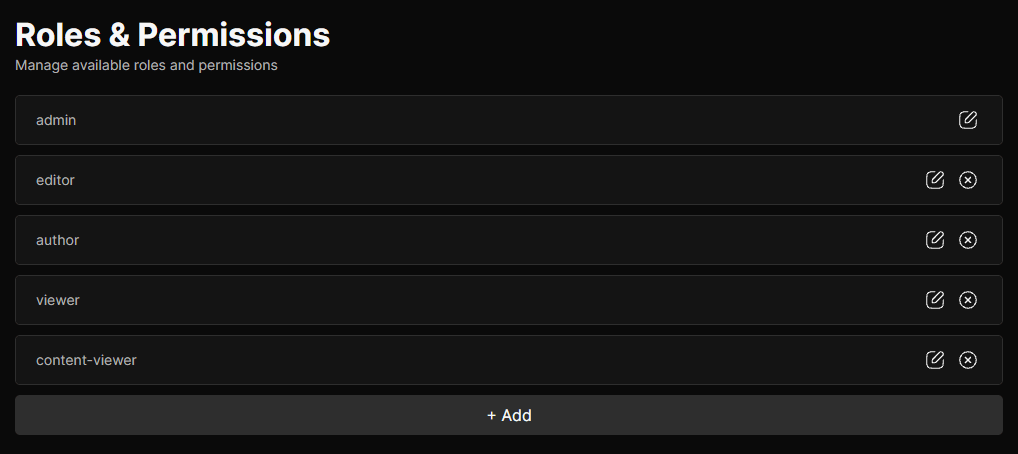
To manage roles, navigate to Roles in the CMS to see all existing roles. From here you can:
- Add a new role using the add button at the bottom of the list
- Edit a role by clicking into it
- Delete a role by using the remove button
Each role has the following base options:
- Name: A unique identifier for the role, lowercase with hyphens only (e.g. content-editor). Used internally and displayed in the roles list and user assignments.
- Description: An optional note describing the intended purpose of the role.
Permissions
Permissions are shown grouped by resource on the role edit page. Each permission is toggled individually. The role’s current permission count out of the total available is shown in the header next to the role’s description.
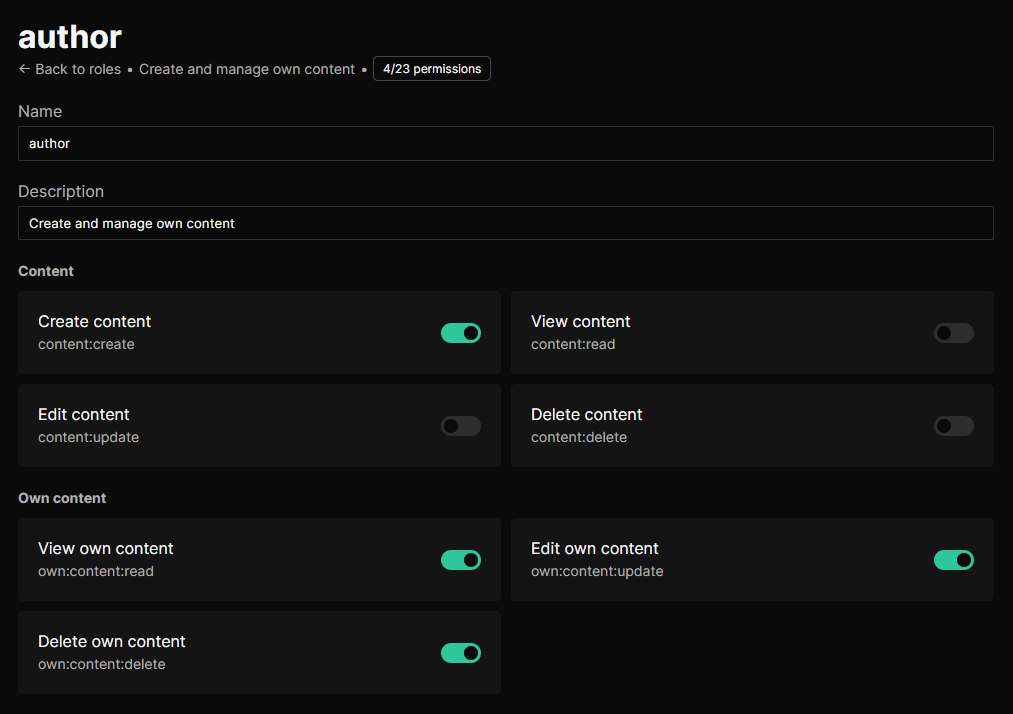
All permissions follow the resource:action format defined in webcore.config.ts. To add custom permissions to your project, add new entries there, they will automatically appear in the role editor. Permissions can be checked anywhere in the codebase using the following methods:
usePermission()hook in Svelte components for reactive permission checkshasPermission('resource:action')function for non-reactive checks in utility functions or hookshasPermissionimported from@webcore/utils/apifor server-side checks in Astro API endpoints
Dependencies & Exclusions
Permissions also come with predefined dependencies and exclusions that control how they interact with each other. These are defined in the permissionDependencies and permissionExclusions objects in webcore.config.ts.
- Dependencies: Some permissions automatically imply others. When you enable a permission, its dependencies are enabled alongside it. For example, enabling
content:updatealso enablescontent:readbecause you can’t edit content you don’t have access to view. - Exclusions: Some permissions are mutually exclusive. Enabling one automatically removes the other. For example, if
content:deleteis enabled,own:content:deleteis removed because they conflict with each other. You can either have global delete permissions or own delete permissions, but not both.
Content Type Scoping
Content permissions can also be scoped to specific content types. When a content permission is enabled on a role and more than one content type exists, a list of content types appears beneath that permission’s toggle. Each type can be individually checked to grant or restrict access.
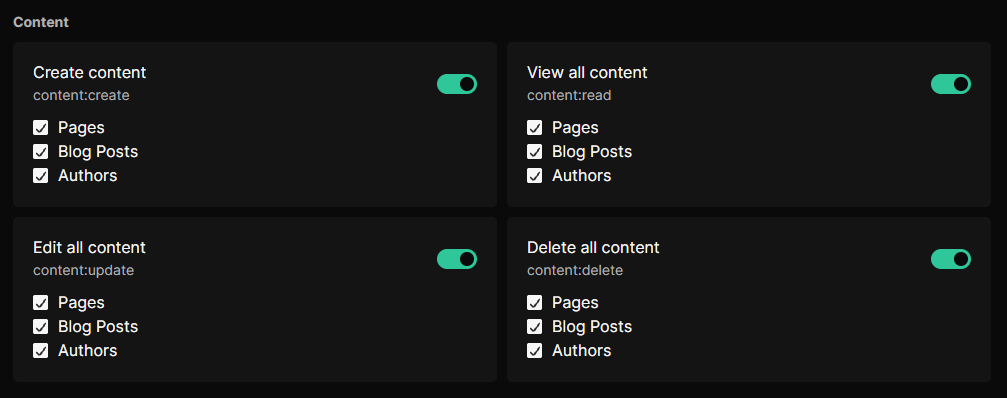
For example, a role could have content:read scoped to only the blog and author types, preventing access to entries belonging to any other type. The admin role always has access to all content types regardless of scope settings.
Permission Reference
| Permission | Description |
|---|---|
content:create | Create new content entries. |
content:read | View all content entries across all types. |
content:update | Edit any content entry. |
content:delete | Delete any content entry. |
own:content:read | View only content entries created by the current user. |
own:content:update | Edit only content entries created by the current user. |
own:content:delete | Delete only content entries created by the current user. |
types:create | Create new content types. |
types:read | View content types and their fields. |
types:update | Edit content types and manage their fields. |
types:delete | Delete content types and all associated entries. |
states:create | Create new content states. |
states:read | View content states. |
states:update | Edit content state name, system state, and description. |
states:delete | Delete content states with no entries assigned. |
users:create | Create new users. |
users:read | View users and their assigned roles. |
users:update | Edit user details and role assignments. |
users:delete | Inactivate users. |
roles:create | Create new roles. |
roles:read | View roles and their permissions. |
roles:update | Edit role permissions and scope. |
roles:delete | Delete roles. |