Content States
Manage content workflow
Content states define the lifecycle of a content entry — from initial creation through to publication and eventual archival. Every entry in the CMS must have a state assigned to it, and the states you define here are what editors choose from when creating or updating entries.
States are managed from a single page in the CMS and can be created, reordered, and deleted to match however your team’s workflow is structured.
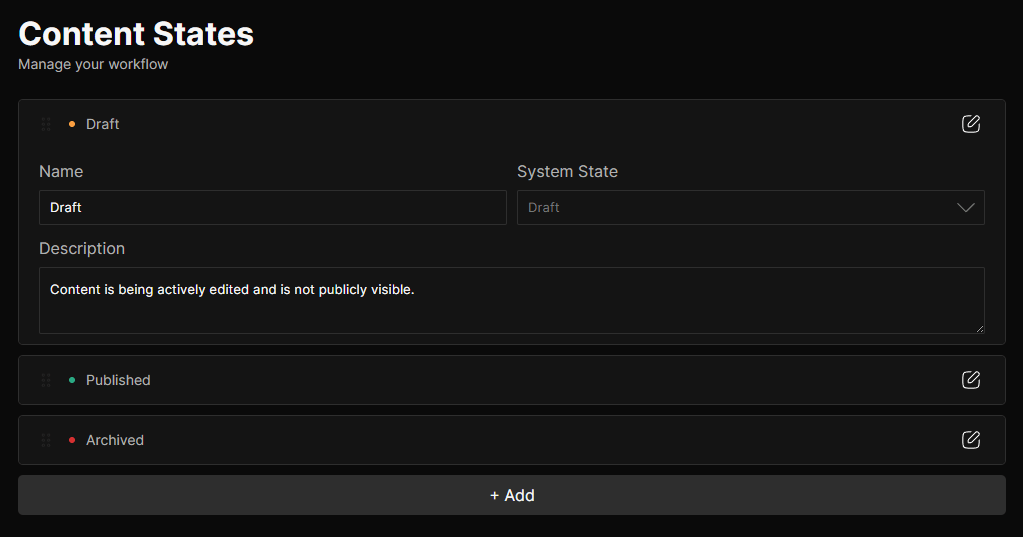
System States
The CMS seeds the above three built-in states that are always present and cannot be deleted:
- Draft: The default state for newly created entries. Draft entries are not publicly visible in production builds.
- Published: Marks an entry as publicly visible. Only entries in a
PUBLISHEDsystem state are included in production builds and returned bygetContentType. - Archived: Marks an entry as no longer active. Archived entries are excluded from production builds, like drafts.
The System State of a built-in state cannot be changed. Custom states you create can be mapped to any system state, which is what the CMS uses internally to determine visibility.
Custom States
Beyond the three built-in states, you can create as many additional states as your workflow requires. Common examples include states like In Review, Needs Revision, or Scheduled — each mapped to whichever system state reflects their intended visibility.
To add a new state, use the add button at the bottom of the states list. New states default to the DRAFT system state and can be configured immediately after creation.
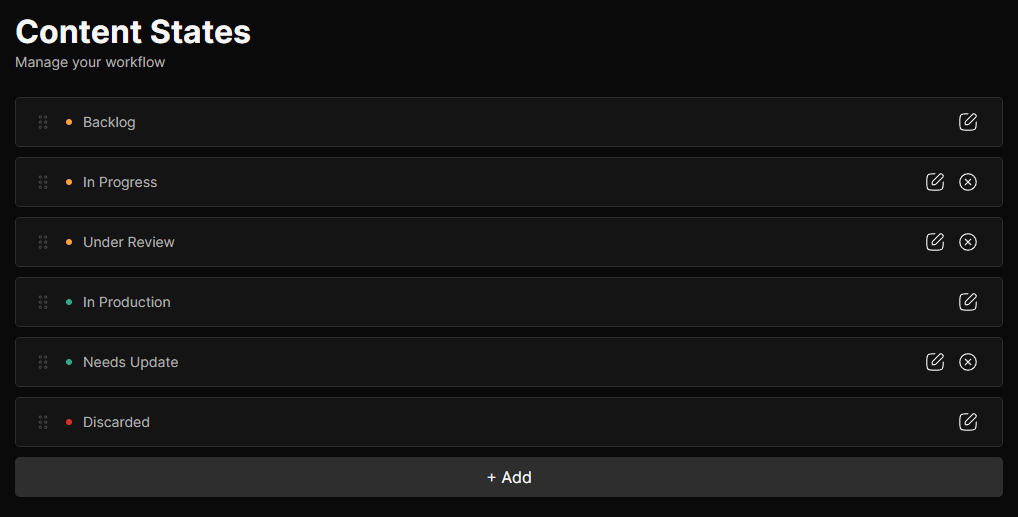
State Options
Each state has the following configurable options:
| Option | Description |
|---|---|
| Name | The label shown to editors when selecting a state for a content entry. |
| System State | Maps this state to one of the three internal system states: DRAFT, PUBLISHED, or ARCHIVED. |
| Description | An optional note describing when or why this state should be used. |
The order of states in the list controls the order they appear in the state selector when editors are creating or updating a content entry. Drag states into your preferred order to surface the most commonly used ones at the top.
Deleting States
A state can only be deleted if no content entries are currently assigned to it. If entries are still using the state you are trying to remove, the CMS will block the deletion and show a list of the affected entries with direct links so you can reassign them first.
Permissions
Access to content states is governed by the following permissions, assignable per role:
| Permission | Description |
|---|---|
states:read | Required to view the content states list. |
states:create | Required to create new states. |
states:update | Required to edit state name, system state mapping, and description. |
states:delete | Required to delete a state. Deletion is blocked if entries are still assigned to the state. |