Ship Faster
The CMS Built for Astro
Content management system built from the ground up for Astro.
Visual block builder, flexible content modeling, and a database layer that just works.
Pay once, use forever.
Designed to ship
WebcoreUI CMS$99/one-time
Price includes all future updates
-
Everything from WebcoreUI Pro
-
WebcoreUI-powered CMS
-
Built around Astro DB
-
Schema-driven blocks
-
Flexible content types
- Get Accessto our GitHub repo
-
Setupeverything from configs
- Launchyour projects in no time
Everything You Need
From developer tooling to editorial workflows. DEVELOPMENT
CONTENT
USERS
-
Ownership-based permissions
Built Around Your Project
Define your content. Deliver it your way. Build Any Page. With Any Content. 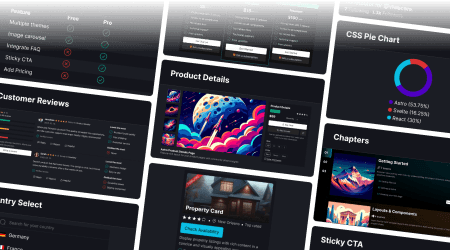
Over 60 premium blocks give your editors the flexibility to compose rich, structured pages — hero sections, feature grids, testimonials, media layouts, and more.
Content Modeling That Fits Your Domain 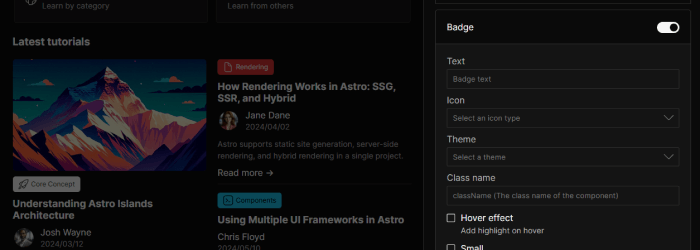
Define content types for anything your project needs — blog posts, team members, product listings, properties, events. Custom field configurations mean the CMS adapts to your data, not the other way around.
Structured Editorial Workflows 
Every content entry moves through clearly defined states created by you, that reflects how your team actually operates. Teams stay organized, nothing ships by accident, and your content pipeline stays clean.
Native Astro DB Integration with Turso 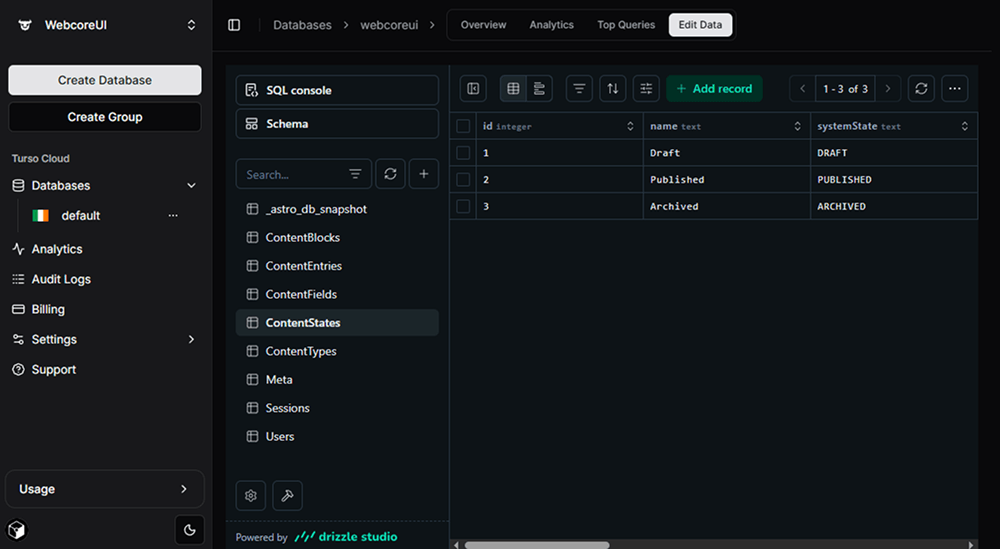
The schema is built on Astro DB — the same toolchain you're already using. Powered by Turso, setup takes just a few commands and fits naturally into your project from day one.
Content Types, Shaped to Your Data 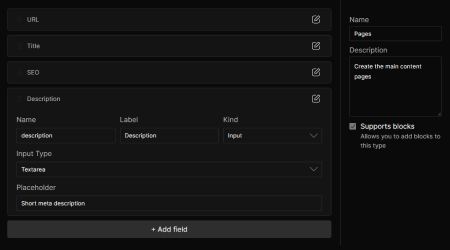
Define and manage the exact content structures your project requires — blog posts, authors, products, events, and beyond. Each type is fully configurable with its own field schema, keeping your editorial experience clean and purposeful.
Media Management, Built for Speed 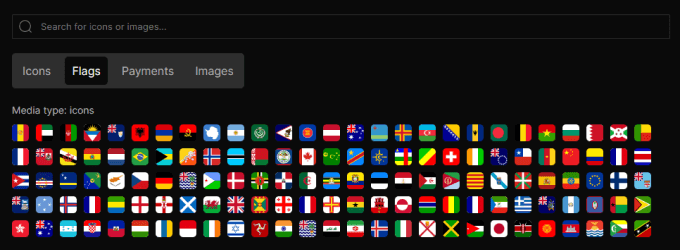
Your public folder is your media library. Icons and images are automatically organized into separate tabs, and powerful search and filtering means editors spend less time hunting for files and more time building great content.
Explore and Test Your API, Live 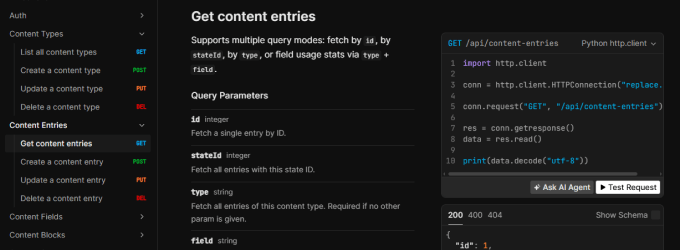
Every endpoint the CMS exposes is automatically documented and explorable through a built-in Scalar UI. Test queries, inspect responses, and share your API surface with your team — no external tooling required. Ship with confidence, and never guess at your own API again.
Role-Based Access, Precisely Configured 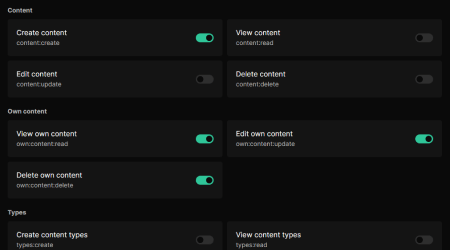
Create custom roles and tune exactly what each one can do. With over 20 granular permissions, you decide who can draft, who can publish — and everything in between. Your team gets the access they need, nothing more.
More will follow...
Your Components. Your Rules.
The CMS is designed to grow with your project. Need a new blocks? Add a matching schema that maps directly to your component's props and you're done.
- A Control for Every Prop Type Match each prop to the right editor control — text inputs, dropdowns, checkboxes, textareas, grouped objects, repeatable lists, or recursive child blocks. The control system covers everything.
- Composable and Reusable Shared controls helps you build schemas faster. Need an image or a button for your new block? Just import the relevant schema.
- Defaults That Make Sense Set default prop values directly in the schema so new block instances are always pre-populated with sensible content. Editors can start working immediately, without filling in every field from scratch.
export const controls: ControlOptions<ButtonProps> = { props: { href: { kind: 'input', props: { label: 'Href', placeholder: 'Set a URL for the button' } }, theme: getThemeSelectControl(), className: getClassNameControl(), }, children: { allowed: ['HTML', 'Icon'], label: 'Button content (Children)' }}Frequently Asked Questions
- Access to All Premium Blocks Along with the CMS, unlock a constantly growing library of high-quality components built to fit any design style.
- Lifetime Access No subscriptions, no annual fees—just lifetime access to a growing premium collection.
- Free, Frequent Updates Stay ahead of the curve with new components, feature enhancements, and bug fixes.
- Priority Support Receive top-tier technical support to help you setup your project and troubleshoot any issues, ensuring seamless development.
- WebcoreUI CMS is a powerful content management system designed to work seamlessly with Astro. It provides everything you need to manage and deploy your Astro project efficiently. It also includes everything from WebcoreUI Pro.
- One-time payment means that you only pay once to purchase WebcoreUI CMS. There are no additional charges or recurring subscriptions after this initial payment, you get a lifetime access to WebcoreUI CMS forever with no additional costs.
- Free updates means that after purchasing WebcoreUI CMS, you will receive all future updates and enhancements to WebcoreUI CMS at no additional cost.
- You can use WebcoreUI CMS in commercial projects as long as the resulting product is not a CMS, DMS, or other system where the primary purpose is clearly to repackage and redistribute WebcoreUI CMS.
You can also use WebcoreUI CMS for building custom websites for individual clients. However, you can't use WebcoreUI CMS to create a website or template that you intend to resell to multiple clients. - No, you don't have to buy a new WebcoreUI Pro plan every time you want to use it on a new project. As long as what you are building is allowed as per the license, you can build as many sites as you want without ever having to buy an additional license.
- Basic familiarity helps, but the CMS is pre-configured and ready to run inside any Astro project. The schema is included — you don't need to design it from scratch.
- Yes! Content types are fully customizable. You define the type, add custom fields, configure their display order, and the CMS handles the rest.
- Each page or content entry that supports blocks can have any number of blocks added, ordered, and configured. Each block maps to a component in your Astro project, with props managed directly in the CMS interface. Check out our builder to see how it works.
- Yes. The CMS runs as part of your Astro project. You own the code, the data, and the deployment. There are no ongoing platform fees or external dependencies.
- The editorial interface is designed to be clean and approachable. Editors work with a visual block builder and structured forms — no code exposure. Developer configuration happens separately at the schema and component level.
- If you are not satisfied with WebcoreUI Pro, please email us at support[at]frontendland[dot]com within 7 days and we'll issue a full refund. Please read our Refund Policy for more details.
- If you find an issue in the CMS, please open an issue on the WebcoreUI CMS GitHub repository page.
- If you still have questions, please feel free to contact us at support[at]frontendland[dot]com.